 MineForge
How to Add a Custom Ore in Minecraft 26.3 (Fabric)
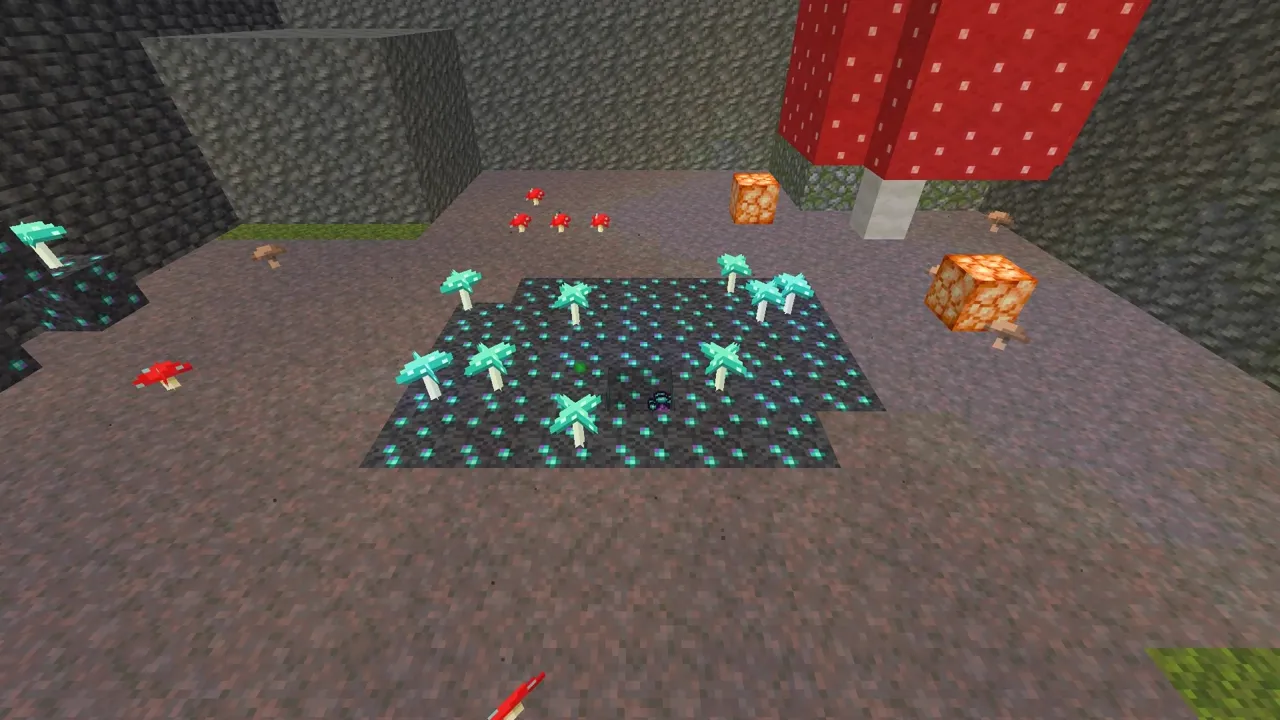
Last episode we made the Spore Cluster. Now it needs a source: Mycelium Ore, a glowing fungal ore that only spawns where deep caves expose it, and slowly sprouts little Glowcap mushrooms on top.
What you need: the Sporesteel project from episode 1, Minecraft 26.3, Fabric Loader 0.20.1, Fabric API 0.165.2+26.3 and Java 25.
Register the blocks
Blocks also need a registry key in their properties, and each one gets a BlockItem so you can hold it. Create block/ModBlocks.java:
package com.mineforge.sporesteel.block;

import com.mineforge.sporesteel.Sporesteel;
import java.util.function.Function;
import net.fabricmc.fabric.api.creativetab.v1.CreativeModeTabEvents;
import net.minecraft.core.Registry;
import net.minecraft.core.registries.BuiltInRegistries;
import net.minecraft.core.registries.Registries;
import net.minecraft.resources.ResourceKey;
import net.minecraft.world.item.BlockItem;
import net.minecraft.world.item.CreativeModeTabs;
import net.minecraft.world.item.Item;
import net.minecraft.world.item.Items;
import net.minecraft.world.level.block.Block;
import net.minecraft.world.level.block.SoundType;
import net.minecraft.world.level.block.state.BlockBehaviour;
import net.minecraft.world.level.material.MapColor;

public final class ModBlocks {
	public static final Block MYCELIUM_ORE = register("mycelium_ore", MyceliumOreBlock::new,
			BlockBehaviour.Properties.of()
					.mapColor(MapColor.DEEPSLATE)
					.strength(4.5f, 3f)
					.requiresCorrectToolForDrops()
					.sound(SoundType.DEEPSLATE)
					.lightLevel(state -> 6)
					.randomTicks());

	public static final Block GLOWCAP = register("glowcap", GlowcapBlock::new,
			BlockBehaviour.Properties.of()
					.mapColor(MapColor.COLOR_CYAN)
					.noCollision()
					.instabreak()
					.sound(SoundType.FUNGUS)
					.lightLevel(state -> 10)
					.offsetType(BlockBehaviour.OffsetType.XZ));

	private static Block register(String name, Function<BlockBehaviour.Properties, Block> factory,
			BlockBehaviour.Properties properties) {
		var blockKey = ResourceKey.create(Registries.BLOCK, Sporesteel.id(name));
		Block block = factory.apply(properties.setId(blockKey));
		Registry.register(BuiltInRegistries.BLOCK, blockKey, block);

		var itemKey = ResourceKey.create(Registries.ITEM, Sporesteel.id(name));
		var props = new Item.Properties().setId(itemKey).useBlockDescriptionPrefix();
		Registry.register(BuiltInRegistries.ITEM, itemKey, new BlockItem(block, props));
		return block;
	}

	public static void init() {
		CreativeModeTabEvents.modifyOutputEvent(CreativeModeTabs.NATURAL_BLOCKS).register(output -> {
			output.insertAfter(Items.DEEPSLATE_DIAMOND_ORE, MYCELIUM_ORE);
			output.insertAfter(Items.RED_MUSHROOM, GLOWCAP);
		});
	}

	private ModBlocks() {}
}
lightLevel makes both blocks glow, and useBlockDescriptionPrefix lets the item reuse the block’s name.
The ore that grows mushrooms
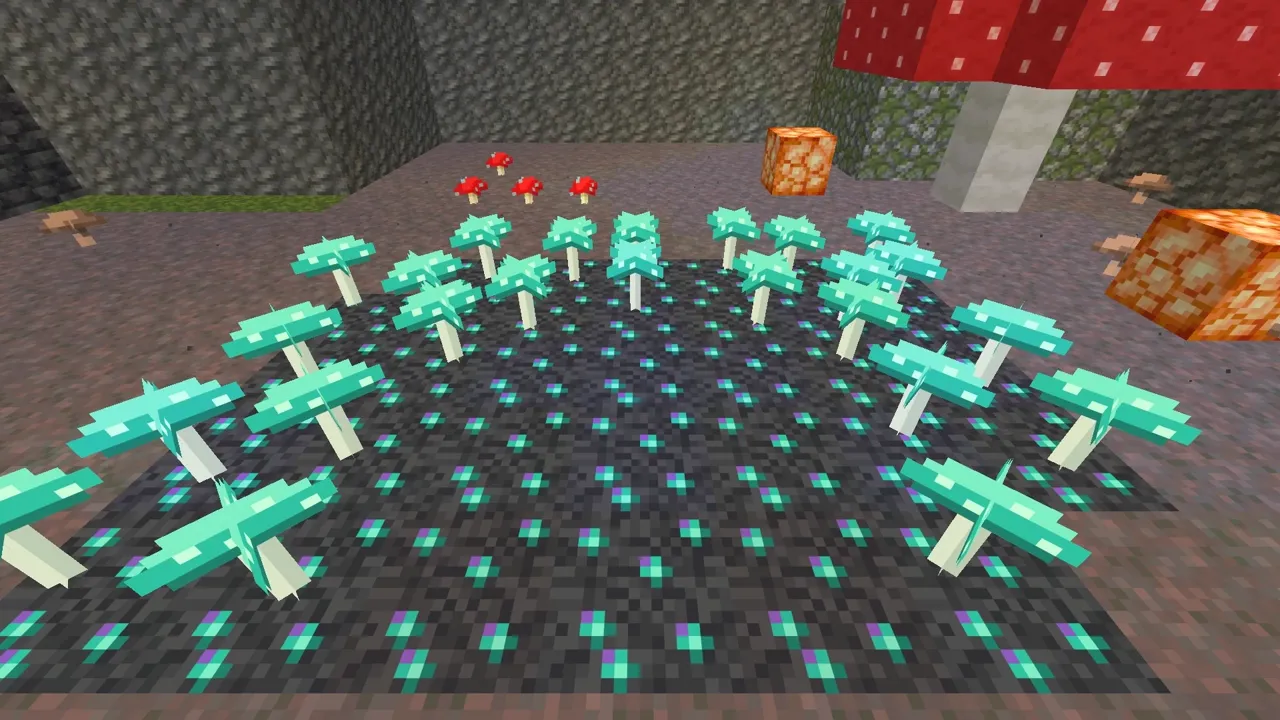
MyceliumOreBlock extends DropExperienceBlock so it drops 1–3 XP, and uses random ticks to sprout a Glowcap on the open block above it:
package com.mineforge.sporesteel.block;

import net.minecraft.core.BlockPos;
import net.minecraft.server.level.ServerLevel;
import net.minecraft.util.RandomSource;
import net.minecraft.util.valueproviders.UniformInt;
import net.minecraft.world.level.block.DropExperienceBlock;
import net.minecraft.world.level.block.state.BlockState;

public class MyceliumOreBlock extends DropExperienceBlock {
	public MyceliumOreBlock(Properties properties) {
		super(UniformInt.of(1, 3), properties);
	}

	@Override
	protected void randomTick(BlockState state, ServerLevel level, BlockPos pos, RandomSource random) {
		BlockPos above = pos.above();
		if (random.nextInt(4) == 0 && level.isEmptyBlock(above)) {
			level.setBlockAndUpdate(above, ModBlocks.GLOWCAP.defaultBlockState());
		}
	}
}
The Glowcap
The Glowcap is a small plant that can only stand on Mycelium Ore:
package com.mineforge.sporesteel.block;

import net.minecraft.core.BlockPos;
import net.minecraft.world.level.BlockGetter;
import net.minecraft.world.level.block.Block;
import net.minecraft.world.level.block.VegetationBlock;
import net.minecraft.world.level.block.state.BlockState;
import net.minecraft.world.phys.shapes.CollisionContext;
import net.minecraft.world.phys.shapes.VoxelShape;

public class GlowcapBlock extends VegetationBlock {
	private static final VoxelShape SHAPE = Block.box(5, 0, 5, 11, 8, 11);

	public GlowcapBlock(Properties properties) {
		super(properties);
	}

	@Override
	protected boolean mayPlaceOn(BlockState state, BlockGetter level, BlockPos pos) {
		return state.is(ModBlocks.MYCELIUM_ORE);
	}

	@Override
	protected VoxelShape getShape(BlockState state, BlockGetter level, BlockPos pos,
			CollisionContext context) {
		return SHAPE;
	}
}
Models, textures and names
Each block needs a blockstate, a block model and an item model file. The ore is a full cube in assets/sporesteel/models/block/mycelium_ore.json:
{
  "parent": "minecraft:block/cube_all",
  "textures": {
    "all": "sporesteel:block/mycelium_ore"
  }
}
The Glowcap uses the crossed-planes model that flowers use, in models/block/glowcap.json:
{
  "parent": "minecraft:block/cross",
  "textures": {
    "cross": "sporesteel:block/glowcap"
  }
}
And each blockstate points at its model, for example blockstates/glowcap.json:
{
  "variants": {
    "": {
      "model": "sporesteel:block/glowcap"
    }
  }
}
Add both names to en_us.json:
{
  "item.sporesteel.spore_cluster": "Spore Cluster",
  "block.sporesteel.mycelium_ore": "Mycelium Ore",
  "block.sporesteel.glowcap": "Glowcap"
}
Mining tags and loot
Because the ore uses requiresCorrectToolForDrops, the game needs to know which tool is correct. Add it to data/minecraft/tags/block/mineable/pickaxe.json and data/minecraft/tags/block/needs_stone_tool.json:
{
  "replace": false,
  "values": [
    "sporesteel:mycelium_ore"
  ]
}
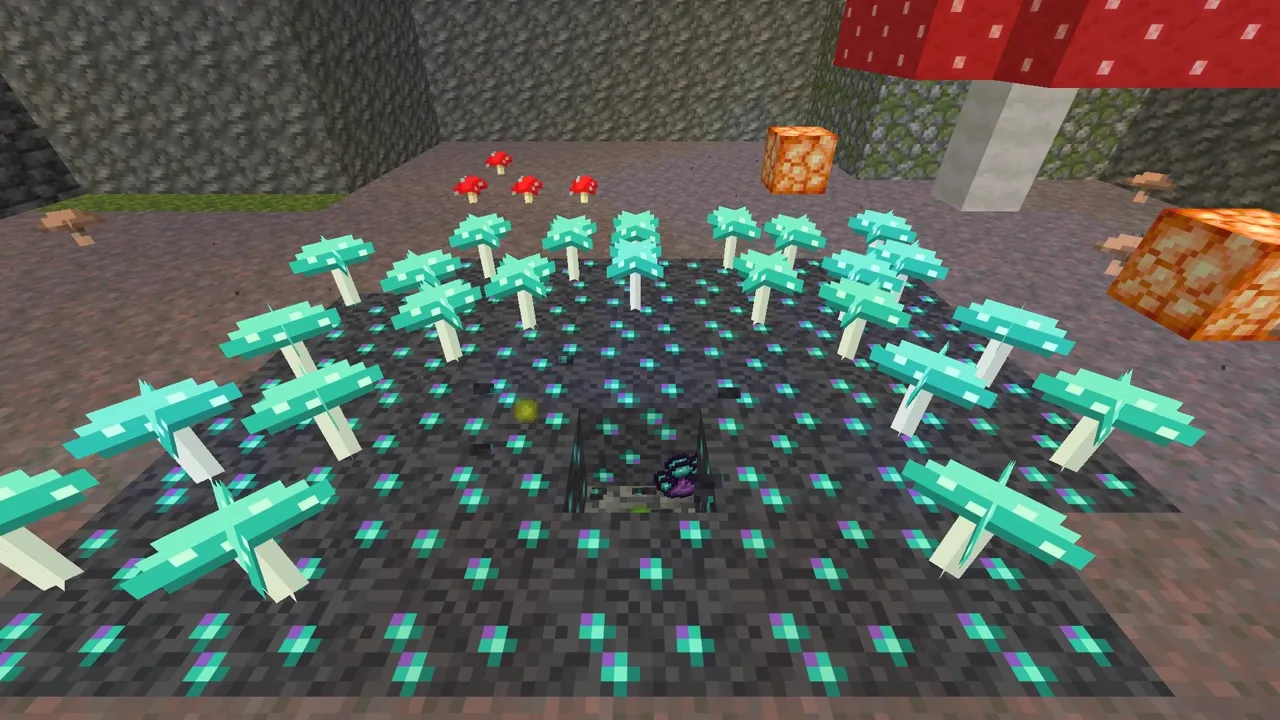
The loot table in data/sporesteel/loot_table/blocks/mycelium_ore.json drops the ore with Silk Touch, otherwise 1–3 Spore Clusters boosted by Fortune:
{
  "type": "minecraft:block",
  "pools": [
    {
      "rolls": 1,
      "entries": [
        {
          "type": "minecraft:alternatives",
          "children": [
            {
              "type": "minecraft:item",
              "condition": "minecraft:tool/can_silk_touch",
              "name": "sporesteel:mycelium_ore"
            },
            {
              "type": "minecraft:item",
              "name": "sporesteel:spore_cluster",
              "modifier": [
                { "type": "minecraft:set_count", "count": { "type": "minecraft:uniform", "min": 1, "max": 3 } },
                { "type": "minecraft:apply_bonus", "enchantment": "minecraft:fortune", "formula": "minecraft:ore_drops" },
                { "type": "minecraft:explosion_decay" }
              ]
            }
          ]
        }
      ]
    }
  ]
}
World generation
The configured feature says what to place: veins of up to 6 ore replacing deepslate, in data/sporesteel/worldgen/feature/mycelium_ore.json:
{
  "type": "minecraft:ore",
  "size": 6,
  "discard_chance_on_air_exposure": 0.0,
  "targets": [
    {
      "state": "sporesteel:mycelium_ore",
      "target": {
        "predicate_type": "minecraft:tag_match",
        "tag": "minecraft:deepslate_ore_replaceables"
      }
    }
  ]
}
The placed feature says where: 40 tries per chunk between 8 blocks above bedrock and Y −8, and only where at least one side touches air, so every vein is exposed in a cave. In worldgen/placed_feature/mycelium_ore.json:
{
  "feature": "sporesteel:mycelium_ore",
  "placement": [
    { "type": "minecraft:count", "count": 40 },
    { "type": "minecraft:in_square" },
    {
      "type": "minecraft:height_range",
      "height": {
        "type": "minecraft:uniform",
        "min_inclusive": { "above_bottom": 8 },
        "max_inclusive": { "absolute": -8 }
      }
    },
    {
      "type": "minecraft:block_predicate_filter",
      "predicate": {
        "type": "minecraft:any_of",
        "predicates": [
          { "type": "minecraft:matching_block_tag", "tag": "minecraft:air", "offset": [0, 1, 0] },
          { "type": "minecraft:matching_block_tag", "tag": "minecraft:air", "offset": [0, -1, 0] },
          { "type": "minecraft:matching_block_tag", "tag": "minecraft:air", "offset": [1, 0, 0] },
          { "type": "minecraft:matching_block_tag", "tag": "minecraft:air", "offset": [-1, 0, 0] },
          { "type": "minecraft:matching_block_tag", "tag": "minecraft:air", "offset": [0, 0, 1] },
          { "type": "minecraft:matching_block_tag", "tag": "minecraft:air", "offset": [0, 0, -1] }
        ]
      }
    },
    { "type": "minecraft:biome" }
  ]
}
Finally, add the placed feature to every Overworld biome in world/ModWorldGen.java:
package com.mineforge.sporesteel.world;

import com.mineforge.sporesteel.Sporesteel;
import net.fabricmc.fabric.api.biome.v1.BiomeModifications;
import net.fabricmc.fabric.api.biome.v1.BiomeSelectors;
import net.minecraft.core.registries.Registries;
import net.minecraft.resources.ResourceKey;
import net.minecraft.world.level.levelgen.GenerationStep;
import net.minecraft.world.level.levelgen.placement.PlacedFeature;

public final class ModWorldGen {
	public static final ResourceKey<PlacedFeature> MYCELIUM_ORE =
			ResourceKey.create(Registries.PLACED_FEATURE, Sporesteel.id("mycelium_ore"));

	public static void init() {
		BiomeModifications.addFeature(BiomeSelectors.foundInOverworld(),
				GenerationStep.Decoration.UNDERGROUND_ORES, MYCELIUM_ORE);
	}

	private ModWorldGen() {}
}
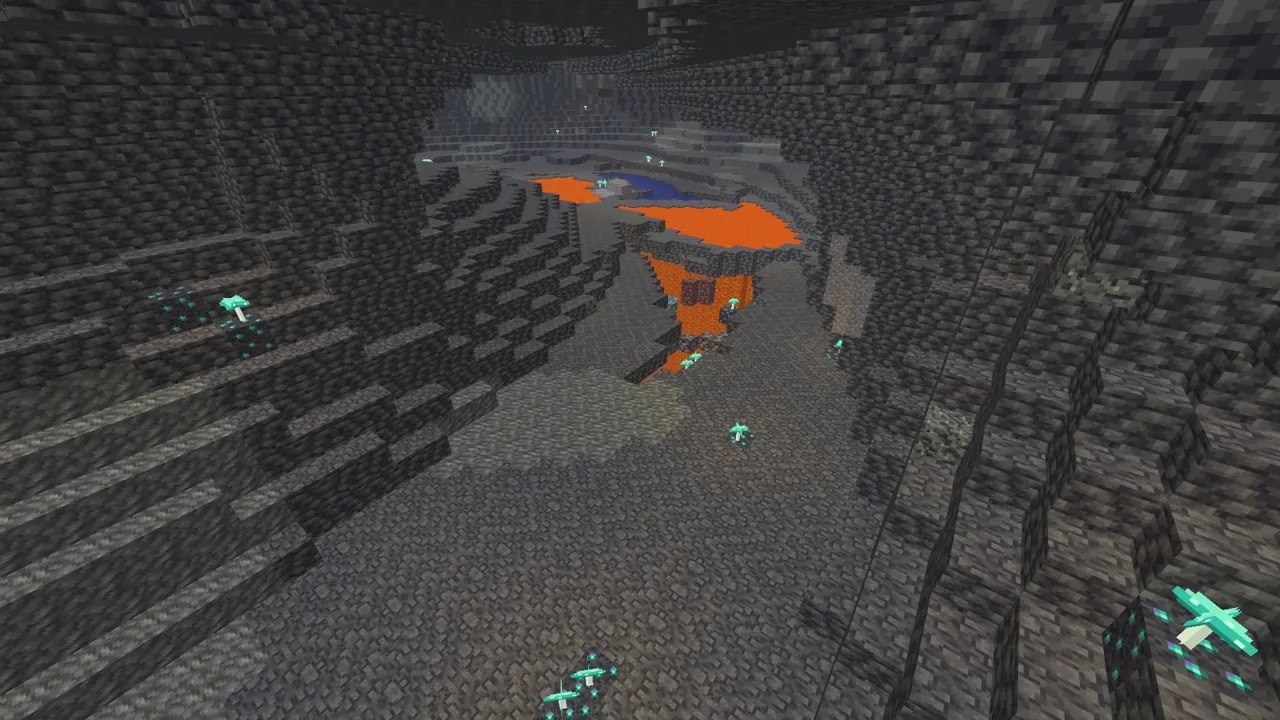
Call ModBlocks.init() and ModWorldGen.init() from onInitialize, right after ModItems.init(). Create a new world (existing chunks don’t regenerate), dig down past Y 0 and look for the glow.
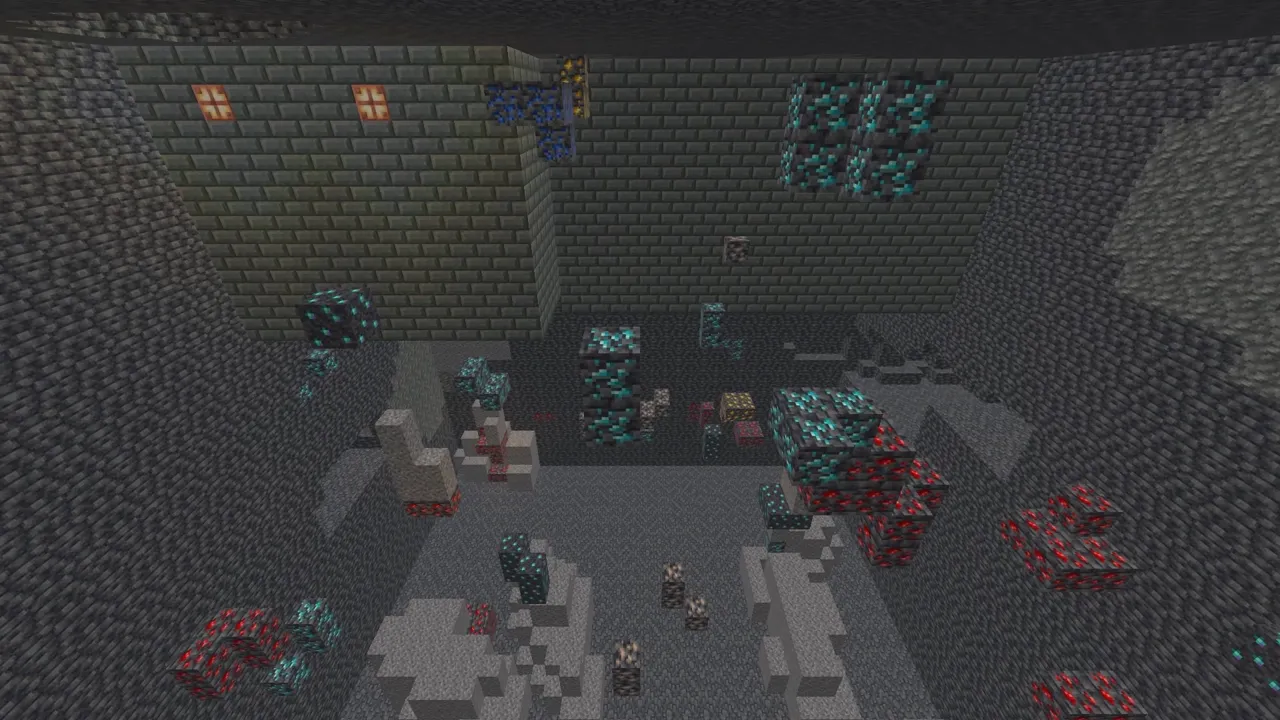
Recap
You added a glowing ore that only spawns on deep cave surfaces, grows Glowcaps, needs a stone pickaxe and drops Spore Clusters. Next episode we turn those spores into metal with the Culture Vat.
Frequently asked questions
How do you add a custom ore to world generation in Fabric?
Write a configured feature (type minecraft:ore) and a placed feature as JSON in data/<modid>/worldgen, then add the placed feature to biomes with Fabric API's BiomeModifications.addFeature in the UNDERGROUND_ORES step.
How do you make an ore only spawn next to caves?
Add a minecraft:block_predicate_filter to the placed feature that checks for air on any of the six sides. Ore that fails the check is not placed, so every vein ends up exposed on a cave wall, floor or ceiling.
How do you make a block drop items instead of itself?
Give it a loot table in data/<modid>/loot_table/blocks/<block>.json. Use an alternatives entry so Silk Touch drops the ore block and everything else drops the item, with set_count and the Fortune ore_drops bonus.
Why does my ore drop nothing when I mine it?
If the block has requiresCorrectToolForDrops, it must also be in the minecraft:mineable/pickaxe tag and a tool-tier tag such as minecraft:needs_stone_tool. Without those tags no tool counts as correct.
How do you make a block grow something over time?
Turn on randomTicks() in the block's properties and override randomTick. The game calls it at random intervals, and you can place a block above it there.